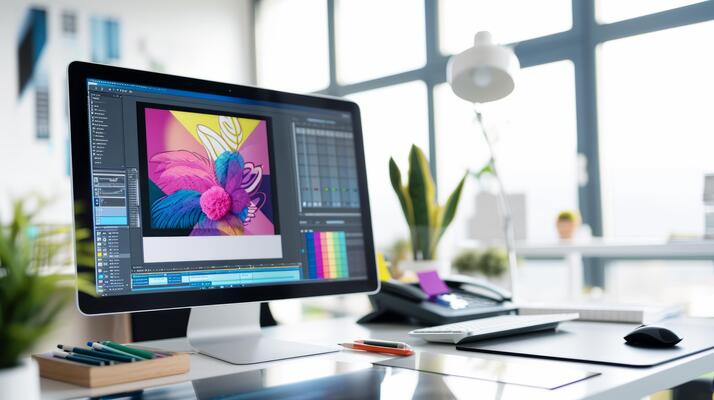
5 Underrated Graphic Design Tools That Outperform Adobe in 2025
Sep 23rd, 2025
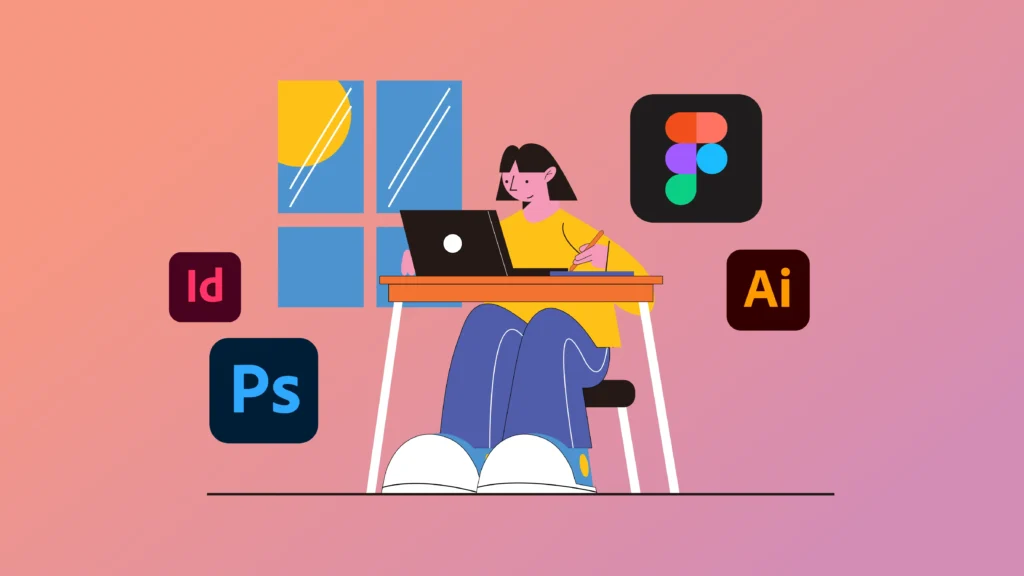
In 2025, the landscape of graphic design software is shifting fast. For decades, Adobe has set the benchmark; but now, several lesser-known tools are pushing boundaries—offering features, flexibility, and pricing models that in many cases outperform Adobe for specific users. This article explores five underrated alternatives, grouped by strength, and why each is worth a closer look.
1.Affinity Designer – The Powerhouse Vector/Raster Hybrid
Why it shines:
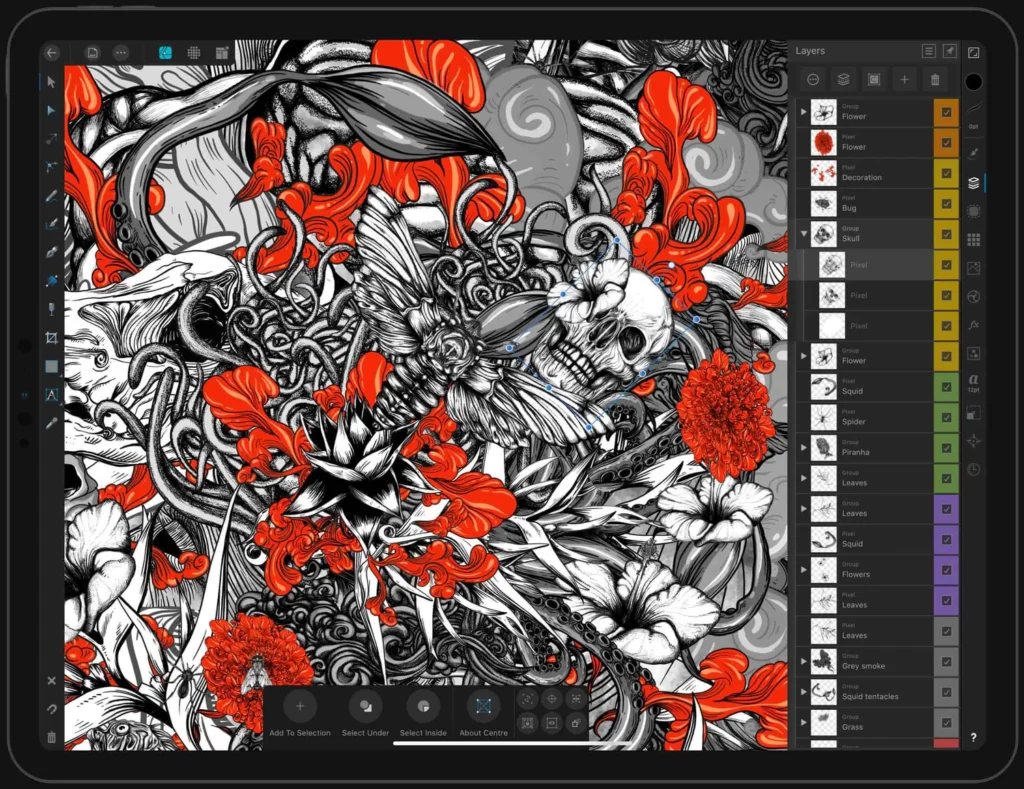
- Combines vector and raster workflows in one app, letting designers switch freely between pixel editing and scalable shapes.
- Supports AI-assisted tools, advanced color management, and non-destructive editing even when working with mixed media.
- Seamless import/export of common Adobe formats (PSD, AI, SVG, EPS), which eases migration or collaboration.
Where it outperforms Adobe:
- Cost: One-time purchase (no heavy subscription burden). Particularly strong value for independent professionals and small studios.
- Performance & speed: On many machines, Affinity’s recent versions feel leaner; its zoom, pan, and brush handling are smoother in common usage compared to some Adobe tools that can lag, especially on less powerful hardware.
- Precision tools for creatives: For illustrative work (comic art, logo work), Affinity’s brush engines, stabilization, dynamic symbols, and vector/raster blending give high control.
2. Inkscape + Boxy SVG – Open-Source & Browser-Based Vector Workhorses
Inkscape: Key strengths
- Full-featured free/open-source vector editor, excellent for logo design, icon work, technical diagrams.
- Supports advanced path effects, mesh gradients, improved SVG2 and CSS support in recent updates.
- Cross-platform support (Windows, macOS, Linux, and even some mobile workflows) gives flexibility.
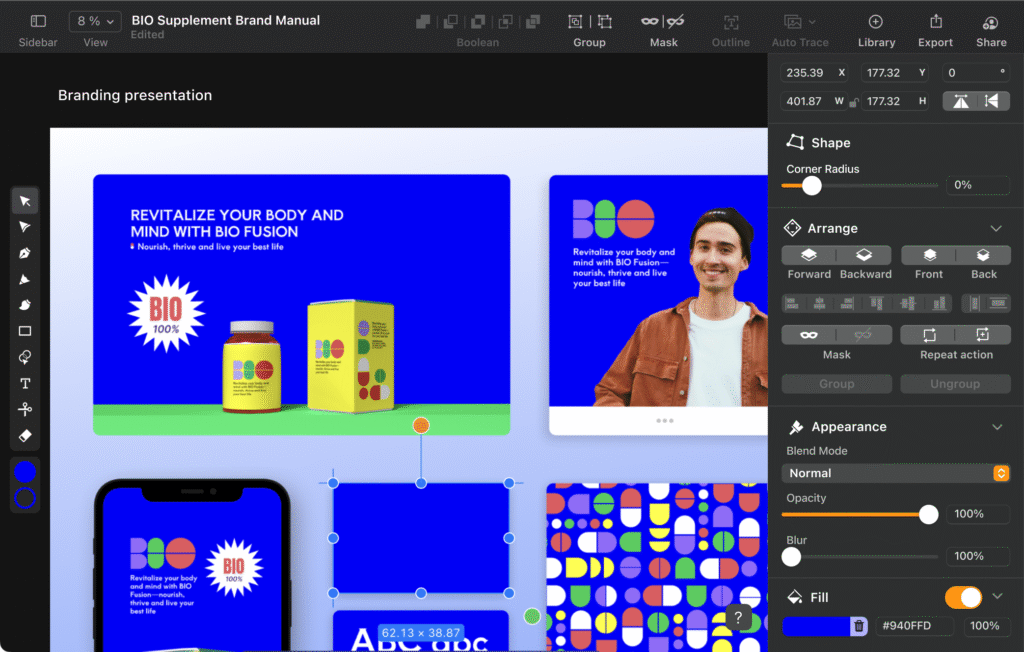
Boxy SVG: Key strengths
- Runs in browser and desktop, with minimal setup friction. Great for lightweight vector tasks.
- Clean UI focused on essential tools; users who want simplicity without sacrificing precision love it.
- Exports/imports standard vector formats, with good performance for web/vector workflows (SVG heavy).
What they beat Adobe at:
- Zero cost for many core features: No subscription needed for vector basics.
- Accessibility & portability: Designers can hop between devices or OSes without worrying about license conflicts or subscription fees.
- Lightweight yet capable: For many daily tasks (icons, web graphics, social media art), these tools are sufficient—and faster—than launching heavyweight Adobe apps.

3. Photopea – The Browser Photoshop Clone
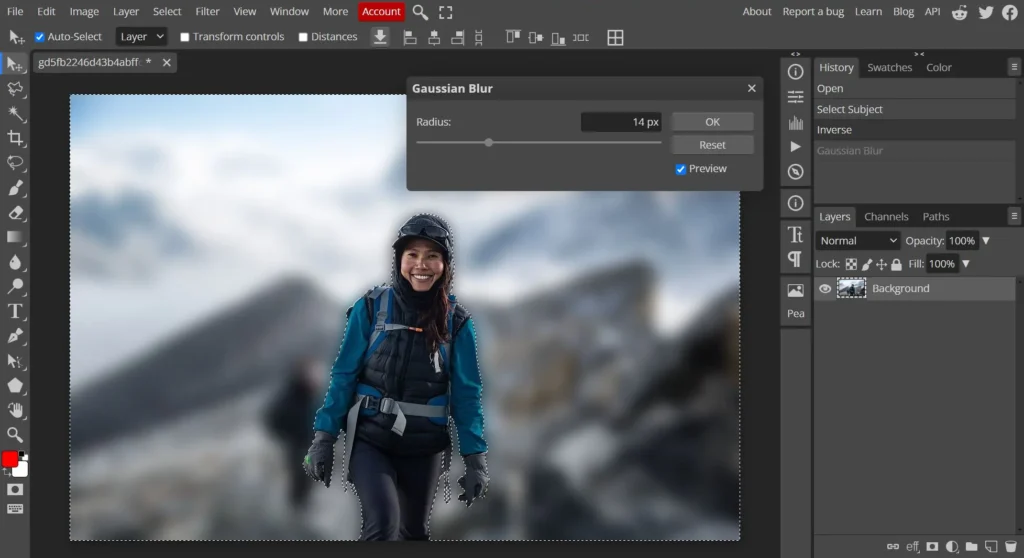
Strengths:
- Runs entirely in browser; PSD compatibility is excellent. Layers, masks, blend modes, selection tools—all there.
- Good set of filters, transformation tools, basic AI/automation features for quick edits.
- Saves locally unless user chooses cloud storage, which gives control.
Why it’s competitive in 2025:
- For users without access to high-end machines or for quick edits on the go, Photopea reduces friction: no install, low startup overhead.
- Good answer for students, hobbyists, content creators who don’t need all of Photoshop’s enterprise or printing pipeline features but do need core image editing tools.
- Pricing model: free with ads or modest subscription for ad-free and extra features.
4. CorelDRAW Graphics Suite 2025 – All-in-One Designer’s Suite
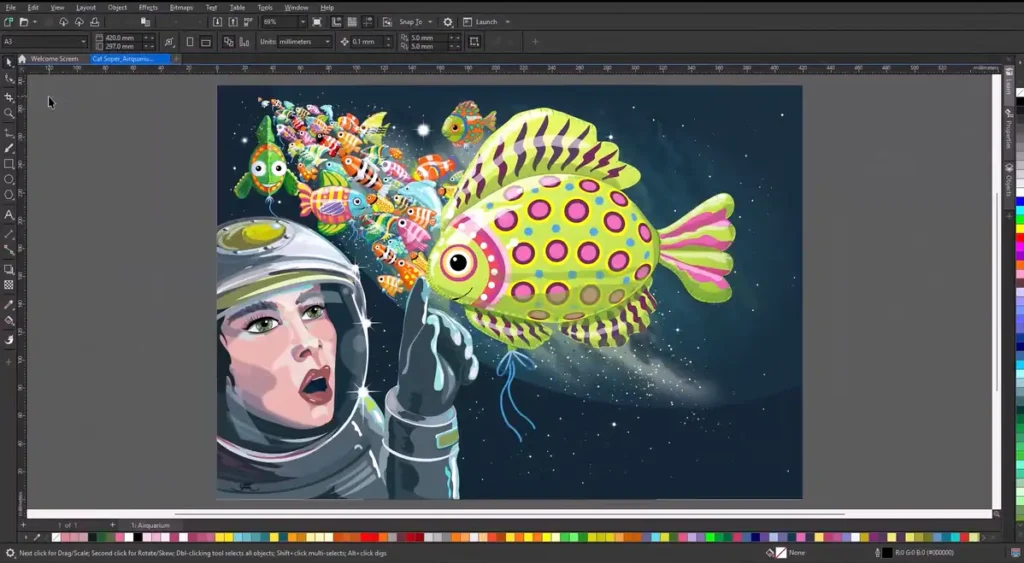
What makes it stand out:
- A full design suite including vector illustration (CorelDRAW), photo editing (Photo-Paint), font management, mock-ups, layout features.
- AI-powered tools like bitmap-to-vector tracing (PowerTRACE) are strong; typical Adobe comparisons hold well here.
- One-time purchase license option is available, plus subscription models, giving flexibility.
Areas where it outshines Adobe:
- Better value for bundle users: One purchase gives wide functionality across vector, layout, image editing vs. paying separately for each Adobe app.
- Tools optimized for certain print and signage workflows: Especially useful in print shops, signage design, engraving/vinyl cutting where Corel has historically been strong.
- Performance tuning: Newer versions are optimized for modern OSes; color management, export to large files is improving.
5. Figma & Its Expanding Ecosystem – More Than Just UI Design
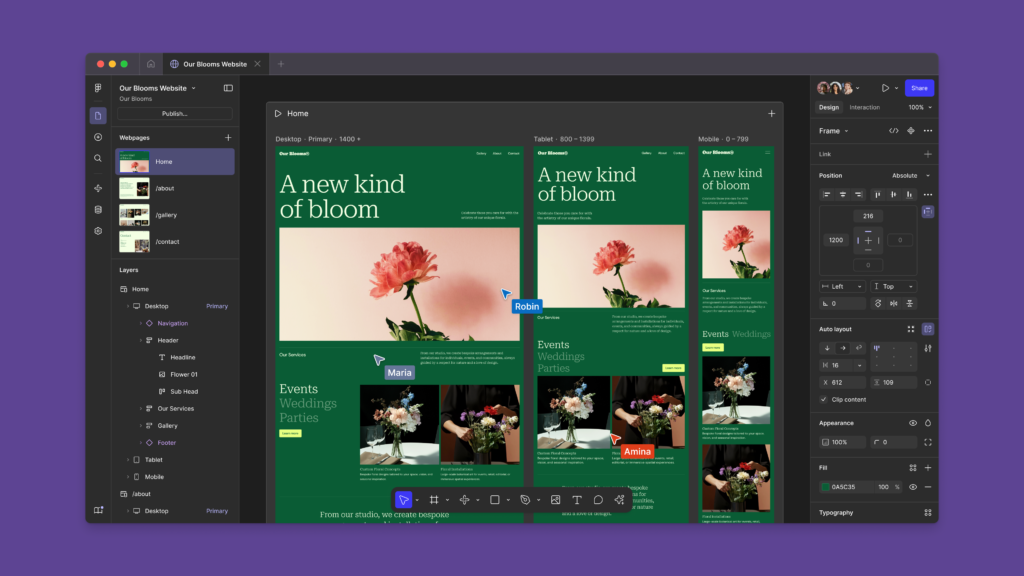
What’s new in 2025:
- Figma is pushing beyond UI/UX into branding, illustration, and marketing content via additions like Figma Draw, Figma Buzz, Figma Sites. These tools allow vector illustration, brand templates, and even website prototypes, or simple live sites integrated with design files. The Verge
- Real-time team collaboration, cloud version control, shared design systems give a productivity edge.
Why it surpasses Adobe for many workflows:
- Collaboration & speed: Multiple users can work at once; feedback loops are shorter. Teams distributed across different OSes or locations benefit heavily.
- Unified environment: Avoids jumping between Photoshop, Illustrator, InDesign for many tasks; saves time.
- Scalability & template reuse: Brand kits, variable fonts, CI/CD of styles/templates are easier.
Comparing Criteria: What Matters Most in 2025
To see why these tools are becoming preferred over Adobe in certain contexts, let’s examine what features matter increasingly:
| Criteria | Adobe Strengths | Where Alternatives Win |
|---|---|---|
| Cost & Licensing | Subscription model; frequently expensive for small businesses or individuals | One-time payments, free/open source, flexible subscription or tiered freemiums |
| Cross-platform & Accessibility | Strong platform support but sometimes heavy hardware requirements | Browser-based, lighter apps, good performance on lower-end systems |
| Specific Task Efficiency | Highly polished, deep toolsets for enterprise & print workflows | More streamlined for niche workflows—logo design, web graphics, quick edits |
| Collaboration & Template Ecosystem | Cloud-shared Adobe Libraries, but often separate apps for different tasks | Unified platforms (e.g. Figma) or shared assets that simplify brand alignment |
| Continuous Innovation | R&D and incremental updates—big new features are slower or spread across multiple apps | Some alternatives aggressively add new features like AI tools, better SVG support, live web export, etc. |
Potential Trade-Offs & When Adobe Still Makes Sense
While these tools offer strong competition, there remain cases where Adobe still holds advantages:
- Industry standard workflows in large print houses or publishing require Adobe file format fidelity, color profiles, or prepress capabilities.
- Very deep editing, content-aware and advanced masking, 3D tools, or high-end video/animation features are still stronger in Adobe’s flagship apps.
- Large existing teams accustomed to Adobe software; switching tools can incur learning or conversion costs.
Getting Started: How to Choose the Right Alternative
Here are steps or tips to picking a tool that might outperform Adobe for you:
- List core workflows — e.g. vector vs raster, print vs digital, mock-ups vs branding, social vs campaign design.
- Test trial/free versions — many tools offer trials/free tiers; test realistically (work on your actual style or project).
- Check format compatibility — if you work with clients or printers, ensure the tool supports their required file formats (PDF/X, color profiles, etc.).
- Consider support and community — open-source or smaller companies often have active communities, plug-ins, tutorials.
- Evaluate future needs — if you expect to expand into video, animation, or large campaigns, pick tools that are growing in those directions.
Why Underrated Means Opportunity
These tools are underrated often because:
- They lack Adobe’s brand dominance or marketing budget.
- Users may be biased toward what they already know (lock-in).
- Many alternatives haven’t yet matched Adobe in every dimension—so they’re seen as “good enough,” not “better.”
But in 2025, for many designers, “good enough” becomes “superior” in terms of value, speed, accessibility, and innovation.
Conclusion
Adobe remains a heavyweight in the design world, especially for large studios, print-centric work, and deep editing needs. But the gap is closing in specific areas—and for many users, Adobe’s disadvantages (cost, complexity, hardware demands) now outweigh its advantages. The five tools above—Affinity Designer, free/open-source vector tools (like Inkscape, Boxy SVG), Photopea, CorelDRAW, and Figma’s expanding offering—represent smart choices that in many cases outperform Adobe for everyday design workflows.
As tools evolve, the real winners will be those who pick tools aligned with their needs, not just chasing industry norms. The alternatives are no longer lurking; they are now front-runners in many design journeys.
Future-Proof Your Business with Incognitai
Stay ahead in today’s digital-first world with next-gen IT solutions and smart digital marketing strategies from Incognitai.
Unlock your brand’s potential with technology that drives growth, streamlines efficiency, and powers innovation for the future.
📧 Email: admin@incognitai.com
📞 Call: +91 99522 89956
Let’s engineer your IT success, today.